Built for the fold
FlipDeck for iPhone Duo
Unfold the foldable iPhone and FlipDeck splits at the hinge: your sounds and controls on one side, 16 big pads on the other. Close it and you're back to the iPhone layout you know.
Version 1.1.0 brings the iPhone Duo layout. It's available now as a free update.
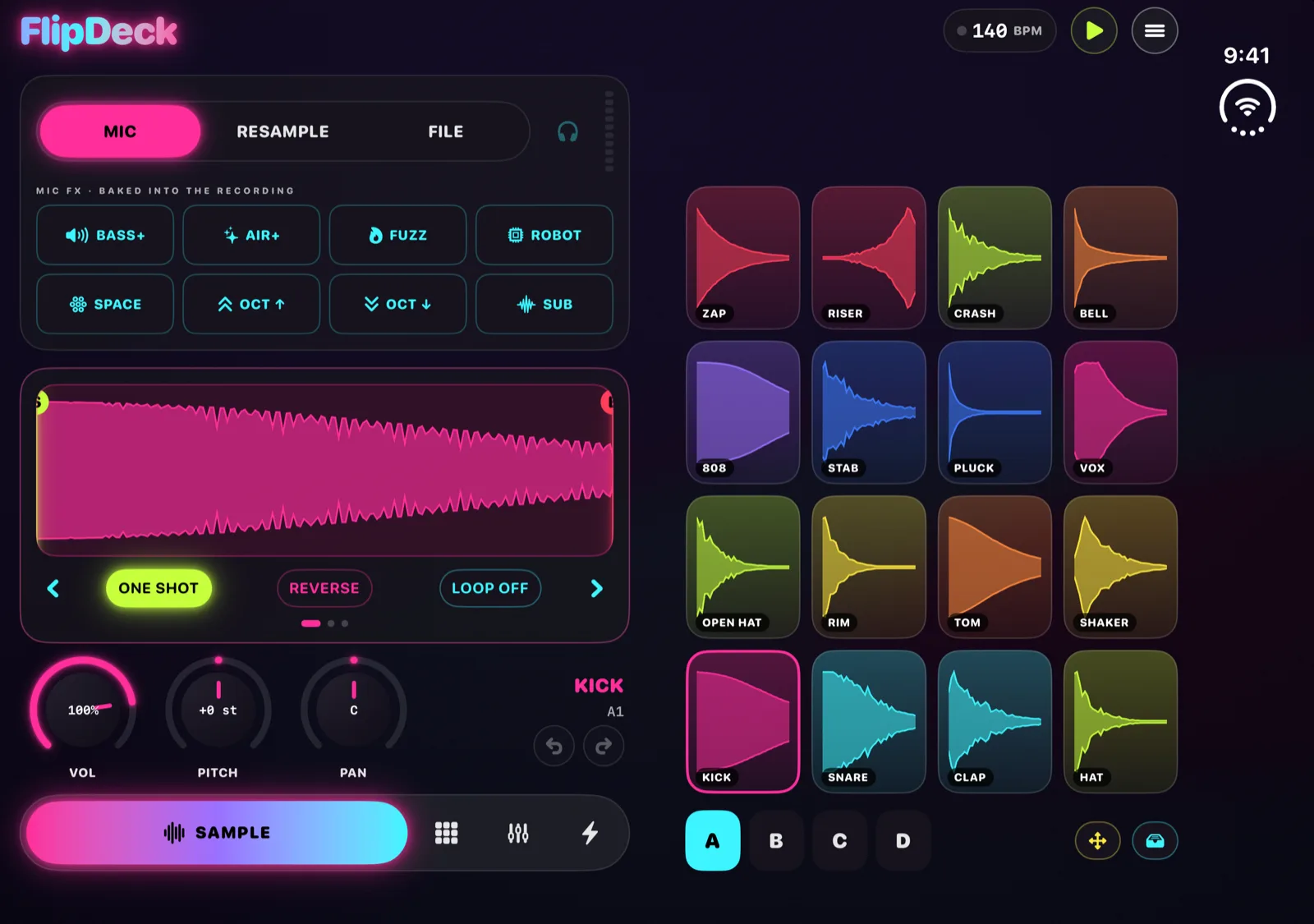
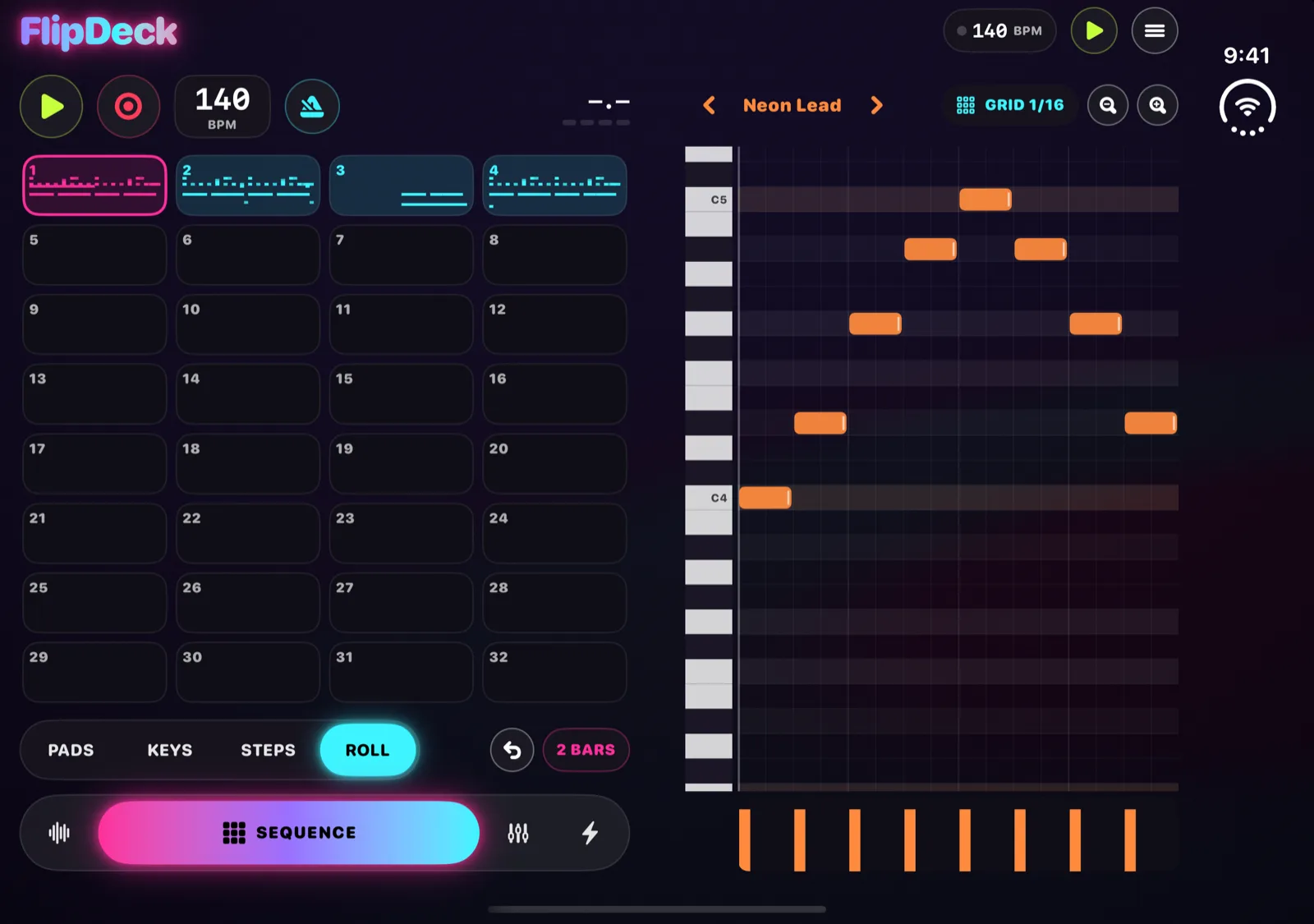
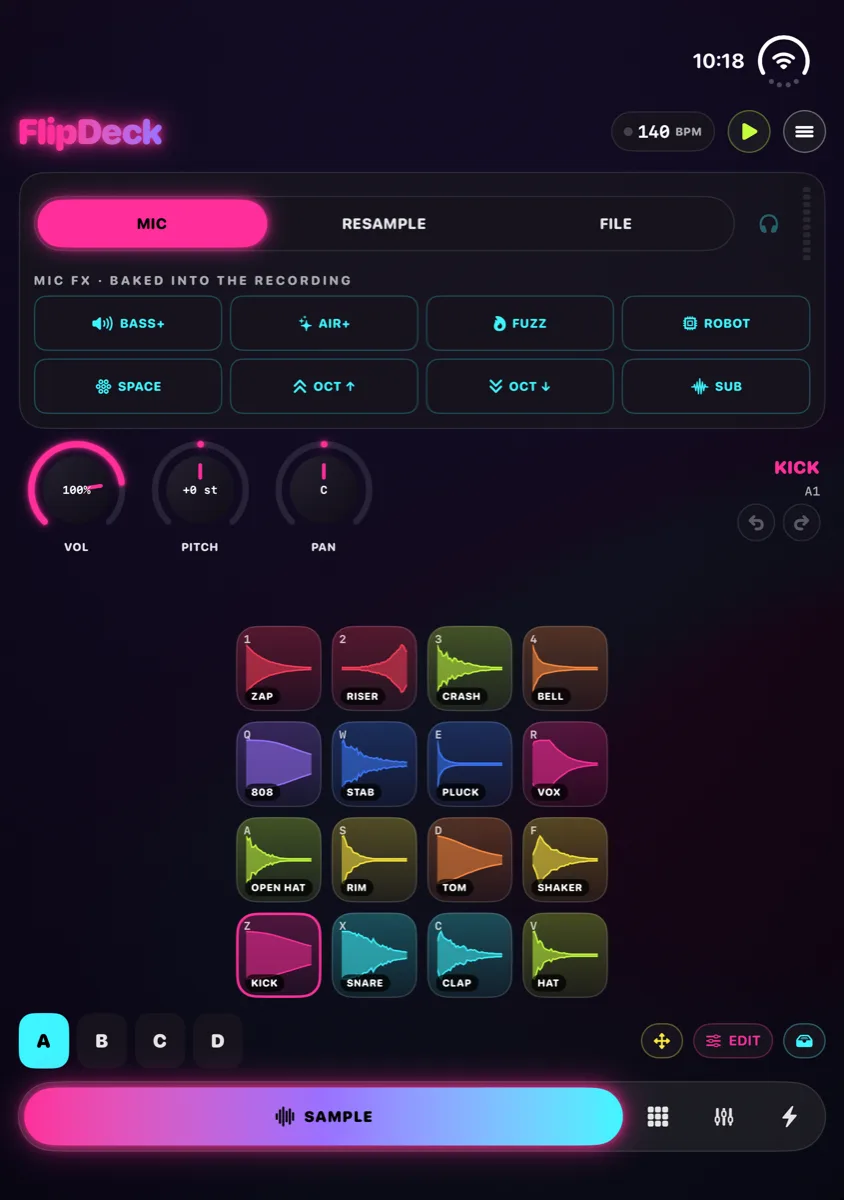
Sample, open. Input, the eight mic effects, the trim waveform and the pad knobs share the left side. The pads take the right side and grow taller than they are wide, so they're easier to hit.
The inner display
Open, it splits at the fold.
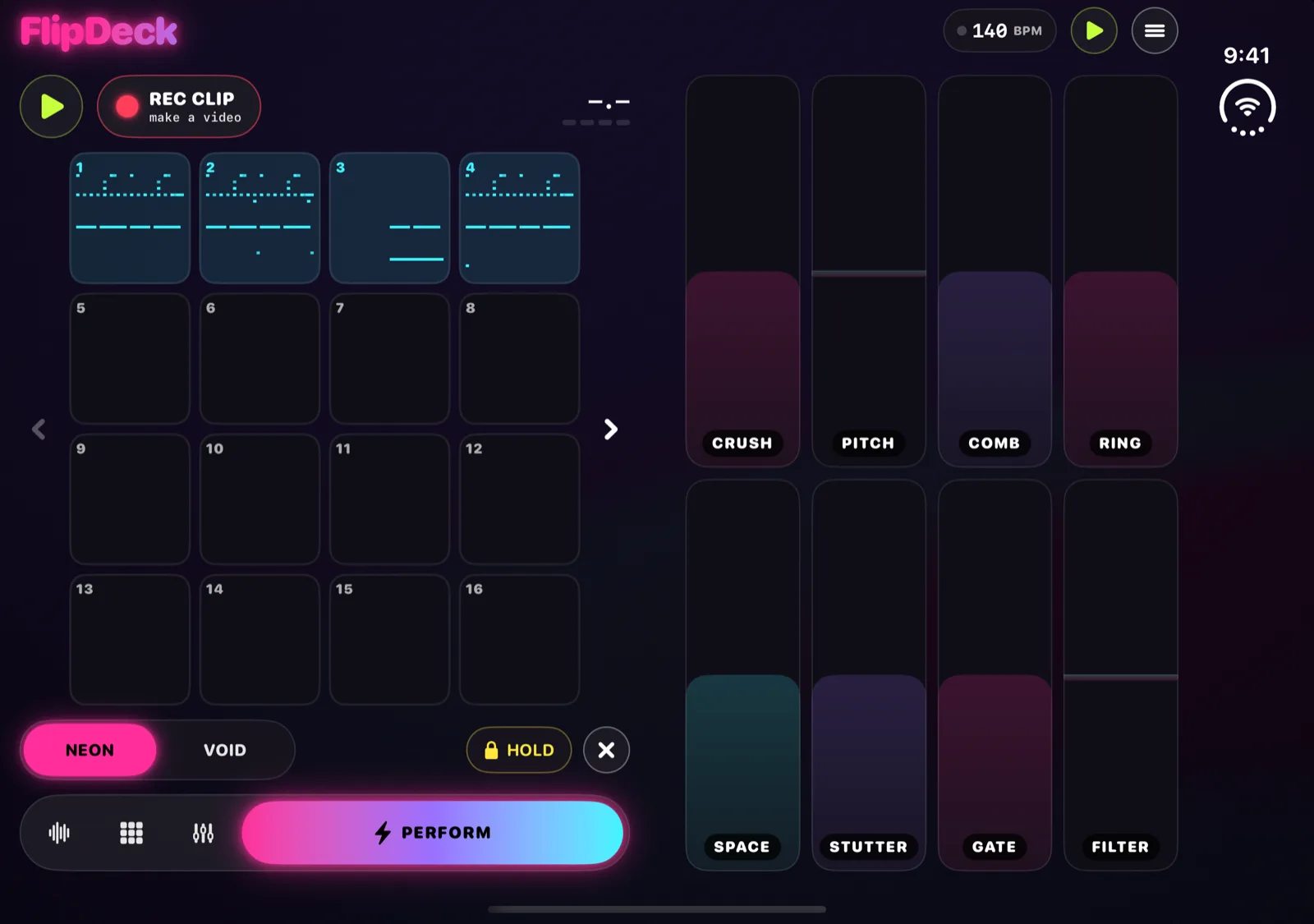
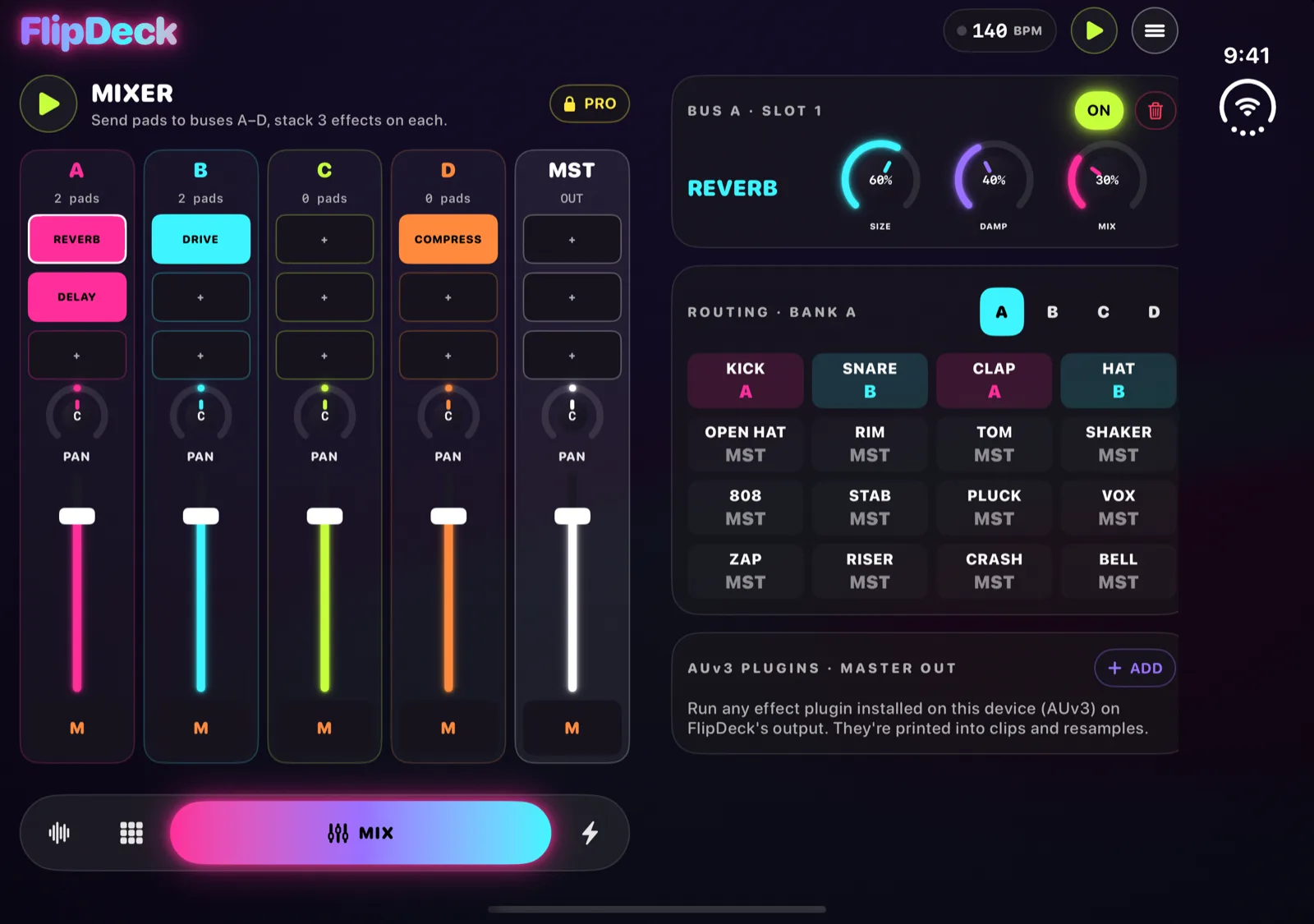
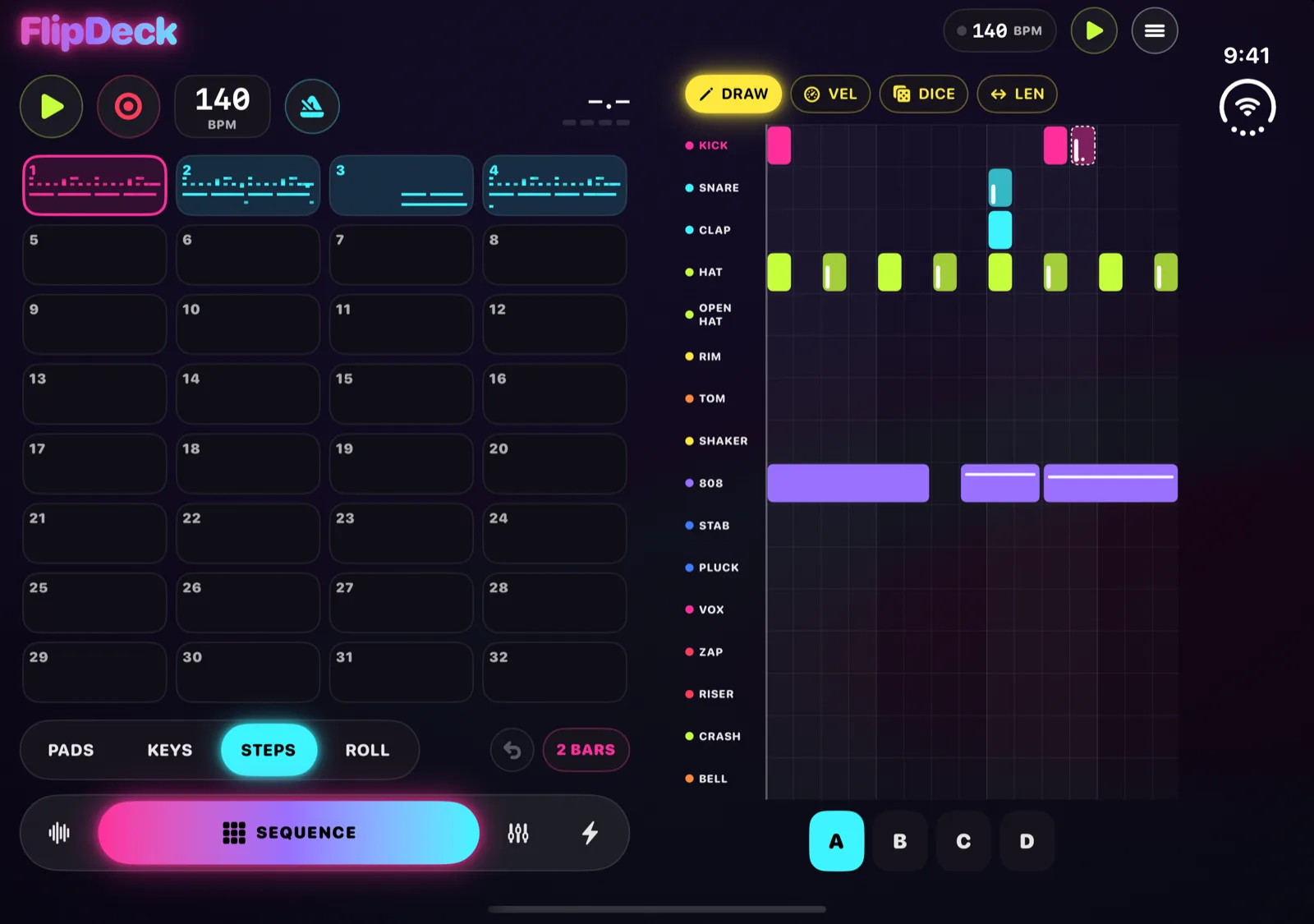
The Duo's inner display is wide and short. In a single column, FlipDeck's pad grid ended up small in the middle with empty space on both sides. Version 1.1.0 divides the screen where the hinge runs instead. Controls go on the left, the thing you play goes on the right, and the tab bar moves under the controls so none of its buttons land on the crease.
Every tab works this way, including Keys, Steps and the piano roll.
The outer display
Closed, it's the FlipDeck you know.
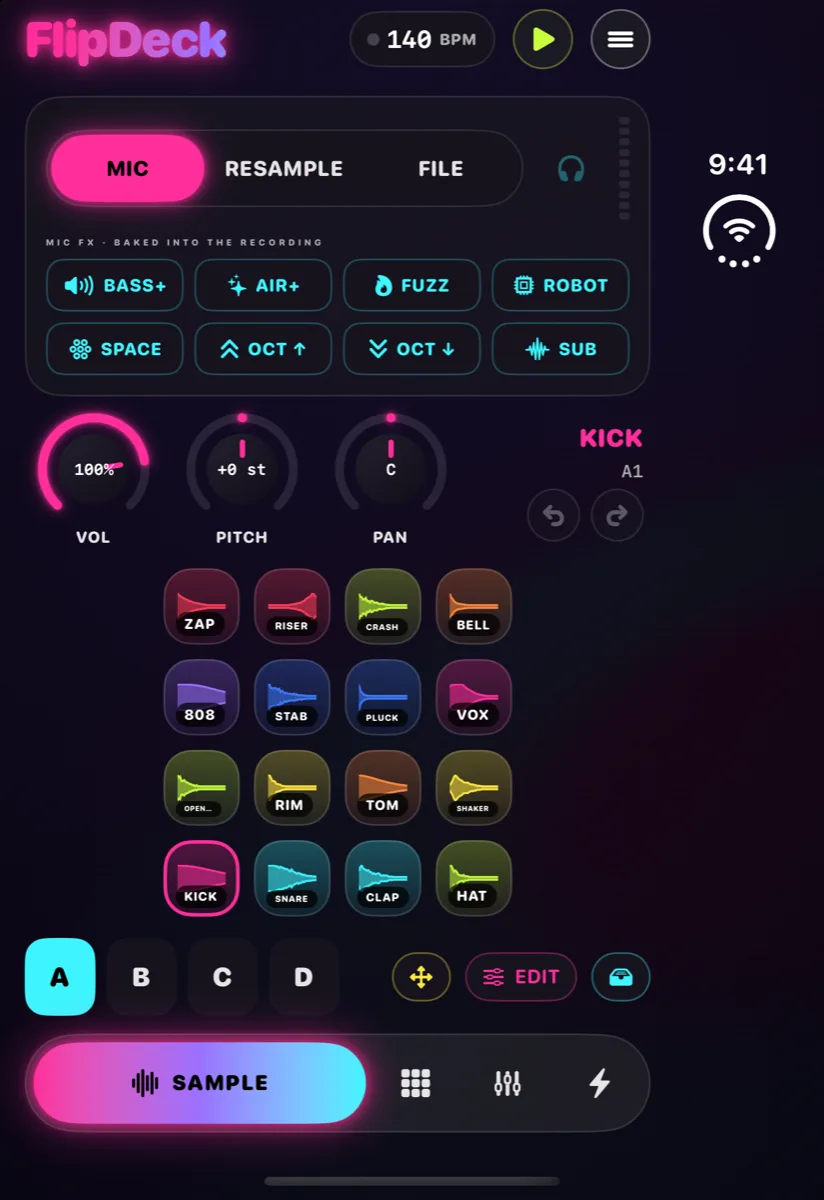
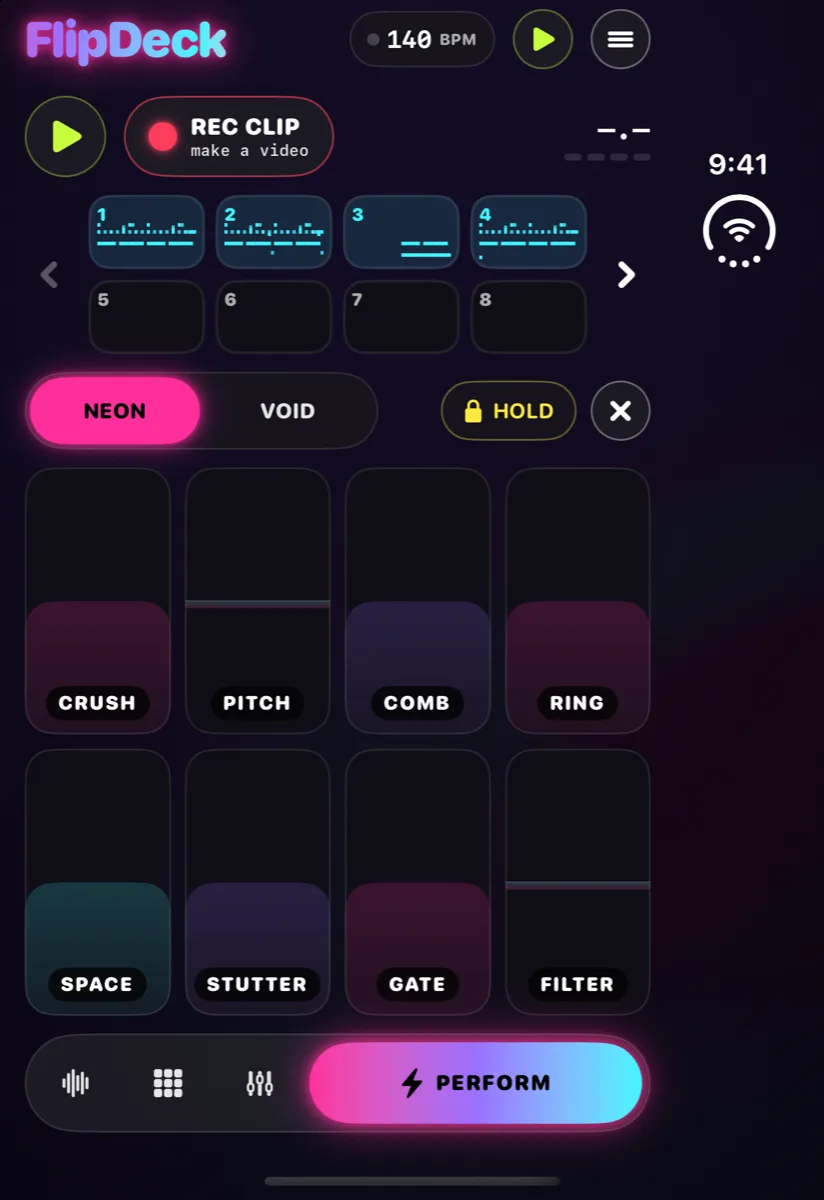
Shut the Duo and FlipDeck keeps its iPhone layout on the outer display: one column, with the transport on top, the pads or sequencer in the middle and the tab bar at the bottom. The pattern strip stops short of the status area at the side of the screen, so nothing hides behind it.
It's the quickest way to grab a sound. Record on the outside, open the phone, and play it on the big pads.
Half open
Every pose has a layout.
FlipDeck picks its layout from the shape of the screen, so it follows the Duo as you fold it.
Book
Partly open and held sideways, the split stays. Every pane, the tab bar, the sample browser and the editor sheets sit on one side of the fold.
Laptop
Stood up on a table, Sample, Perform, Steps and Keys stack at the fold: controls on the top half, the pads or step grid on the bottom half. The Mixer stays one scrolling column.
Open and upright
Turn the open Duo to portrait and FlipDeck uses its regular column.
Change poses any time
Fold, unfold or prop it up while FlipDeck is open. The app keeps running, the layout follows, and an open sheet stays open.
See it fold.
Closed, open, book and laptop, in about 40 seconds.
iPhone Duo questions
Does FlipDeck work on iPhone Duo?
Yes. FlipDeck 1.1.0 adds a layout built for iPhone Duo. The update is available now on the App Store, free for everyone who has the app.
What changes when I unfold it?
The inner display splits at the hinge. Controls and the tab bar go on the left, and the pads, keys, step grid, piano roll or effect strips fill the right. Pads get taller, Perform shows 16 launch pads per page instead of 8, and all 32 patterns are on screen at once.
Does it work when the Duo is closed?
Yes. On the outer display FlipDeck runs the same one-column layout it uses on any iPhone.
What about the half-open poses?
Partly open and held sideways like a book, the split stays and every sheet opens on one side of the fold. Standing up like a laptop, the controls go above the fold and the pads or step grid below it. The Mixer scrolls as one column in that pose.
Do I have to restart FlipDeck when I fold or unfold the phone?
No. FlipDeck keeps running when you fold, unfold or change poses, and the layout follows. A sheet you have open stays open.
Do I need to buy FlipDeck Pro again for iPhone Duo?
No. FlipDeck Pro is a one-time unlock tied to your Apple Account. On the Duo, open Menu, then FlipDeck Pro, then Restore purchases.
Does the split layout come to iPad too?
Yes. The same update splits the screen on iPads up to 11 inches when they are in landscape. 13-inch iPads keep the one-column layout.
Your next beat, on both screens.
Get FlipDeckFlipDeck is free on the App Store for iPhone and iPad. The iPhone Duo layout is available now in version 1.1.0.